Overview
You can add scoring to Yes/No/NA (three-state) selector fields using Calculation fields and a little bit of JavaScript. Assigning different weights to Yes/No/NA responses (e.g., Yes = 2, No = 1, NA = 0) can allow you to view receive total scores for surveys, inspections, safety checks, and other forms.
*Note: This article assumes that you have a basic understanding of the FastField software and how to add fields, save your forms, and view them on your device.
Example
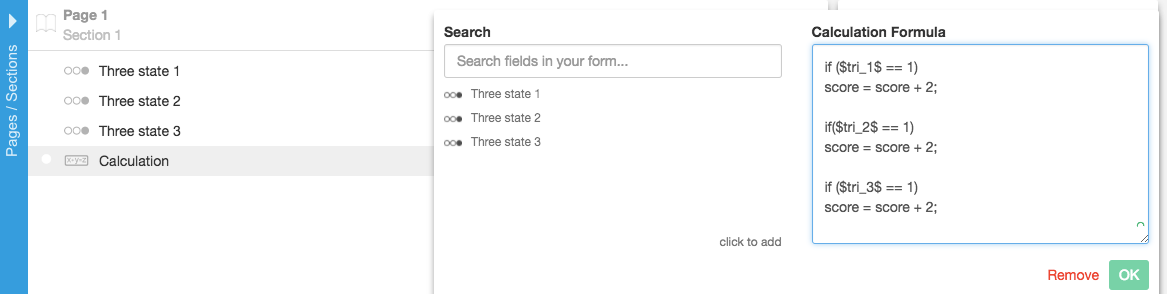
Using the following code will add all of the Yes selections in the form and display it in the computed label. If the user selects Yes, No, No, then the computed label will display 1. You can add whatever weight to the Yes selection that you would like. For example:
If you select Yes, Yes, No, then the calculation (computed label) will display 4 because you've given the Yes a weight of 2instead of 1.
var score = 0;

if ($tri_1$ == 1) {
 score += 1;
}

if($tri_2$ == 1) {
 score += 1;
}

if ($tri_3$ == 1) {
 score += 1;
}

return score;
Using the following code will add all of the Yes selections in the form and display it in the computed label. If the user selects Yes, No, No, then the computed label will display 1. You can add whatever weight to the Yes selection that you would like. For example:
var score = 0;

if ($tri_1$ == 1) {
 score += 2
}

if($tri_2$ == 1) {
 score += 2
}

if ($tri_3$ == 1) {
 score += 2
}

return score;
If you select Yes, Yes, No, then the calculation (computed label) will display 4 because you've given the Yes a weight of 2 instead of 1.
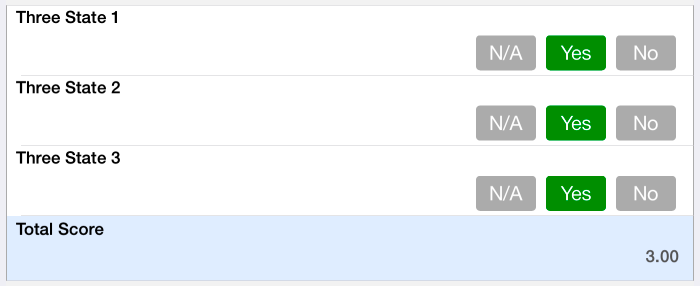
In the example below, we selected all Yes with a weight of 1. The total score equals 3.